Shiny Tiny RPG - Game Dev using Shiny Stats
Intro
Shiny Stats, my Unity asset for stats and leveling mechanisms, is nearly done after two years of on-and-off work. What’s left is documentation and… marketing! And for an asset like this one, the best marketing material is a game that uses it. Screenshots full of data charts, which is what I had planned back in 2017, sell the mathematics. Shiny Stats isn’t about mathematics — it’s about sparing game developers the weeks I spent implementing all of this from scratch for Caatacombb.
So: a mini RPG, because that genre exercises every feature. It ships inside the asset, and that sets the brief.
Scope
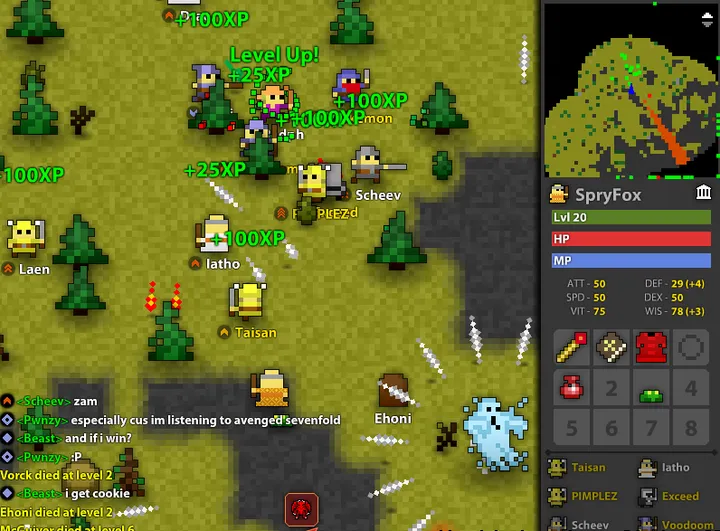
Minimalist as fuck. A bit like Realm of the Mad God but with 3D tech.
- 30 hours of work maximum, and fun to make
- Covers every Shiny Stats feature, and is actually interesting to play
- No external dependencies, few binaries, small enough to ship with the asset
- Naive, beginner-friendly, unoptimized scripts — they double as documentation
- Runs and plays in WebGL
We will call the game Shiny Tiny RPG.
Game design
The vocabulary is cherry-picked from World of Warcraft, one of the most played MMORPGs ever: four attributes (Stamina, Strength, Intellect, Agility), five classes (Warrior, Paladin, Rogue, Wizard, Cleric), and six stats derived from them. Levels run from 1 to 20, on the built-in Experience System of Shiny Stats.
| Stat | Affected by (Attribute) |
|---|---|
| Health Points | Stamina |
| Mana Points | Intellect |
| Attack Power | Strength |
| Spell Power | Intellect |
| Attack Speed | Agility |
| Walking Speed | Agility |
| Class | Health Points (Stamina) | Mana Points (Intellect) | Attack Power (Strength) | Spell Power (Intellect) | Attack Speed (Agility) | Walking Speed (Agility) | Sum |
|---|---|---|---|---|---|---|---|
| Warrior | ++ | + | +++ | + | ++ | + | 10 |
| Paladin | +++ | ++ | ++ | ++ | ++ | + | 11 |
| Rogue | + | + | ++ | ++ | +++ | +++ | 12 |
| Wizard | + | +++ | + | +++ | + | + | 9 |
| Cleric | ++ | +++ | + | ++ | + | + | 10 |
Gameplay
A small map with some enemies to defeat and one ultimate boss. The player climbs levels by killing enemies to get strong enough to defeat the boss. Enemies are scattered from level 1 to 19, the boss is level 20.
The player picks a class at the start and can change it whenever they want, without losing their progression — not typical, but convenient for a demo.
Movement is on the keyboard arrows (WASD). A left click is a regular hit, using the attack power stat; a right click is the class special skill, which costs mana.
| Class | Skill | Description |
|---|---|---|
| All | Attack | Regular attack using Attack Power |
| Warrior | Fatal Strike | 150% regular attack damage |
| Paladin | Holy Strike | 100% regular attack damage, the damage dealt is returned as Health Points |
| Rogue | Backstab | 75% chance to deal 100% regular attack damage, 25% chance to deal 500% regular attack damage |
| Wizard | Flame Strike | Use Spell Power instead of Attack Power to deal damage |
| Cleric | Self Heal | Use Spell Power to heal itself, no damage dealt to enemies |
Time to dev
Map
I’ve set up two materials for the environment, one for the floor and one for the walls.
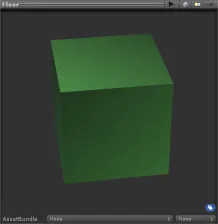
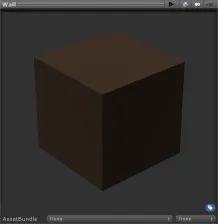
To create the map, we only use Cube meshes, scaled against a 1x1x1 reference cube. The map is quite big, to put a lot of empty space between the enemies, with walls to limit the zone and guide the player. It looks like a closed dungeon, in a cheap way.
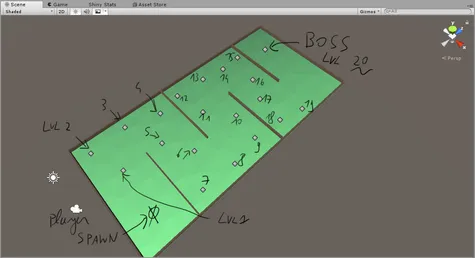
| Difficulty to defeat | Enemy lvl 1-4 | Enemy lvl 5-9 | Enemy lvl 10-14 | Enemy lvl 15-19 | Boss (lvl 20) |
|---|---|---|---|---|---|
| Player level 1-4 | medium | hard | - | - | - |
| Player level 5-9 | easy | medium | hard | - | - |
| Player level 10-14 | - | easy | medium | hard | - |
| Player level 15-19 | - | - | easy | medium | hard |
| Player level 20 | - | - | - | easy | medium |
Characters and animation
Same approach as the map: primitives mixed together instead of ‘real’ 3D models. Six characters — five playable classes, for the player and the enemies, plus one boss.
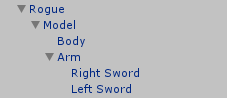
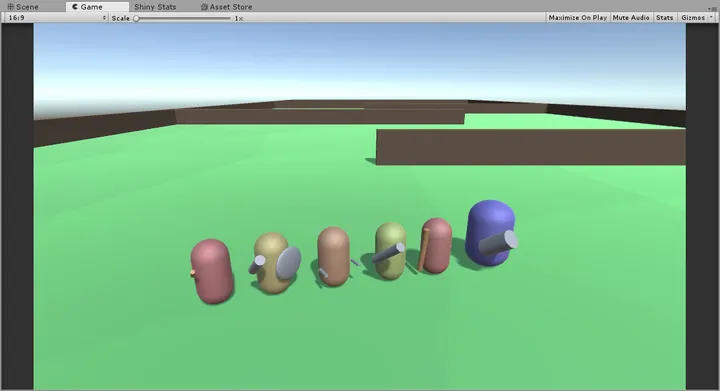
Two attack animations per class, recorded with the standard Unity animation system and driven by a state machine animator. Dead easy, but far from producing awesome motions.
Shiny Stats setup
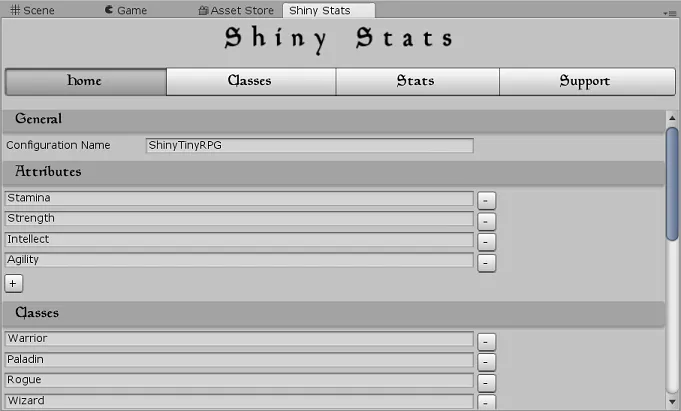
A new empty GameObject with the ShinyStats script attached, configured with the settings above.
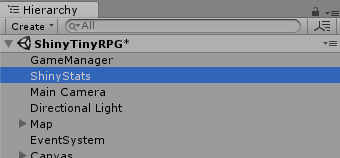
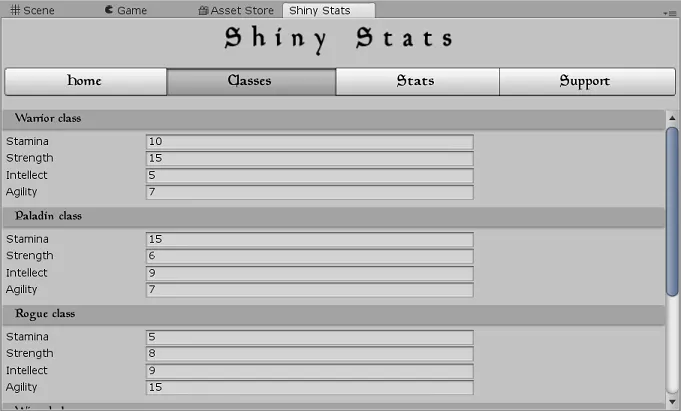
Then the ShinyStatsEntity script goes on the six characters, with their respective classes — the [+ - +++] range converted into real values.
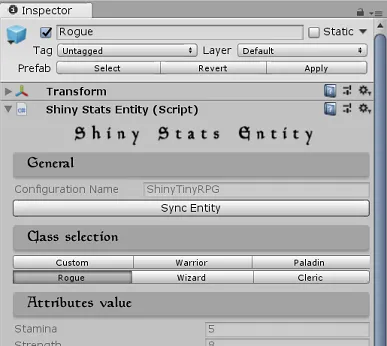
| Class | Stamina | Strength | Intellect | Agility | Sum |
|---|---|---|---|---|---|
| Warrior | 10 | 15 | 5 | 7 | 37 |
| Paladin | 15 | 6 | 9 | 7 | 37 |
| Rogue | 5 | 8 | 9 | 15 | 37 |
| Wizard | 7 | 5 | 18 | 7 | 37 |
| Cleric | 12 | 5 | 13 | 7 | 37 |
Stats configuration
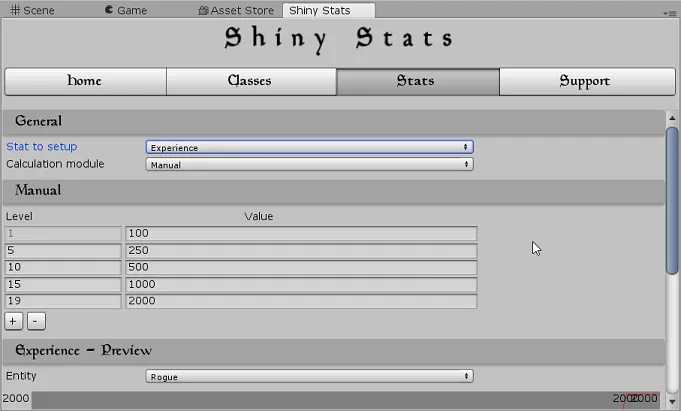
Experience and Experience Drop are the easy ones: arbitrary values per level, tuned so a single kill takes you from 1 to 2 and about ten are needed to go from 19 to 20.
| Level(s) | Experience Drop (on enemy’s death) | Experience (required to level up the player) | Expected kills to level up |
|---|---|---|---|
| 1-4 | 80 + Level x 10 | 100 | 1 - 2 enemies |
| 5-9 | 80 + Level x 10 | 250 | 2 - 4 enemies |
| 10-14 | 80 + Level x 10 | 500 | 3 - 6 enemies |
| 15-18 | 80 + Level x 10 | 1000 | 5 - 6 enemies |
| 19 | 80 + Level x 10 | 2000 | 10 - 11 enemies |
| 20 | 1500 (the boss) | - | - |
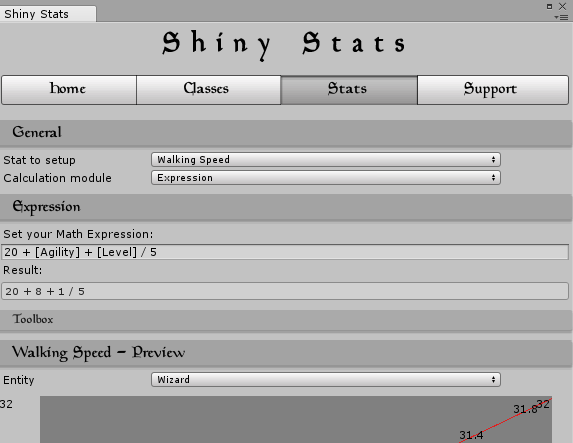
The other six are functions of the attributes and the level, and they fall into three shapes.
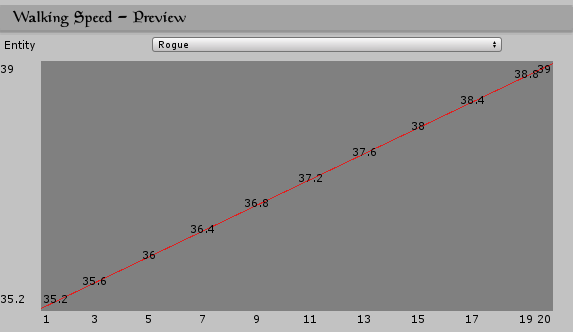
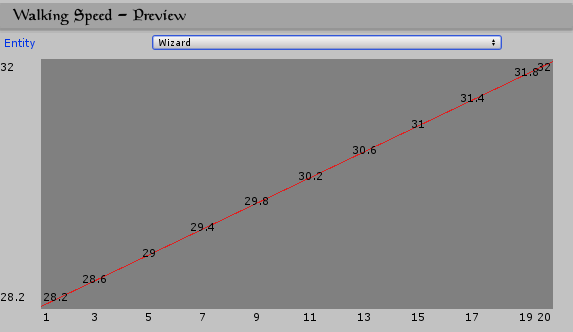
Walking speed is nearly flat over the levels and dominated by Agility, so a Rogue enemy outruns any player who didn’t pick Rogue.
Health and mana are linear, tracking the level curve.
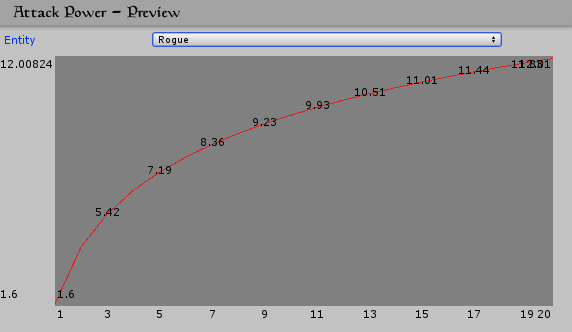
Attack and spell power are logarithmic, so damage falls behind health in the top levels and the end-game combats last longer.
Attack speed is a constant: the minimum delay in seconds between two attacks. Varying it would have fought with the attack animations.
| Stat | Formula |
|---|---|
| Walking Speed | |
| Health Points | |
| Mana Points | |
| Attack Power | |
| Spell Power | |
| Attack Speed |
Walking speed for Rogue (this class has more agility) versus Wizard:
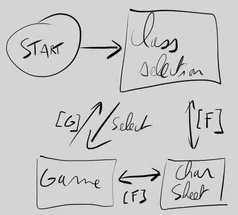
UIs
With a reduced amount of UI panels, we can keep the game really tiny and still show off a lot of stats… from Shiny Stats.
Code
The script worth sharing is the health system, because it is where the game actually talks to Shiny Stats: it subscribes to OnLevelChanged, reads Health Points through EvaluateStat, and hands out experience with AddExp when an enemy dies.
using ShinyStatsn;  // Enable ShinyStats.
using UnityEngine;
using UnityEngine.SceneManagement;

[RequireComponent(typeof(ShinyStatsEntity))]
public class HealthSystem : MonoBehaviour
{
    public double MaxValue;
    public double CurrentValue;

    private ShinyStatsEntity ShinyStatsEntity;

    private void Awake()
    {
        ShinyStatsEntity = GetComponent<ShinyStatsEntity>();
        // Subscribe to the OnLevelChanged event.
        ShinyStatsEntity.OnLevelChanged += ShinyStatsEntity_OnLevelChanged;
    }

    /// <summary>
    /// Callback from ShinyStatsEntity when the Level change.
    /// </summary>
    private void ShinyStatsEntity_OnLevelChanged(object sender, EventArgsInt e)
    {
        MaxValue = ShinyStatsEntity.EvaluateStat("Health Points");
        CurrentValue = MaxValue; // Reset to 100% HP on level up.
    }

    /// <summary>
    /// Handle the damage dealt by another entity.
    /// Negative values are perceived as heal.
    /// </summary>
    /// <param name="value"></param>
    public void ReceiveDamage(double value)
    {
        CurrentValue = CurrentValue - value;

        if (CurrentValue < 0)
        {
            var tag = gameObject.tag;

            Destroy(gameObject);
            if (tag == "Player")
                SceneManager.LoadScene(SceneManager.GetActiveScene().name); // Reset the game on player death.
            else
            {
                // Drop experience to the player on enemy death.
                var player = FindObjectOfType<ShinyTinyRPGManager>().GetPlayerGo();
                var expDrop = (int)ShinyStatsEntity.EvaluateStat("Experience Drop");
                player.GetComponent<ShinyStatsEntity>().AddExp(expDrop);
            }
        }
    }
}
Plus the passive health regen we always have in RPG games.
...
private void FixedUpdate()
{
    // Regen of the Health Points over the time.
    if (CurrentValue < MaxValue)
        CurrentValue += Time.deltaTime;
}
...